- Grafisk Design
- Adobe InDesign
- Adobe InDesign Basic (conducted in English) kursus
You will learn
Adobe InDesign is a great application for designing magazines, books and posters - both for printing and web publishing. In many businesses InDesign is the standard software for creating publication.
InDesign has lots of features and you may find in extremely challenging to learn it on your own. On our InDesign basic course, you’ll get a thorough introduction to the tools in InDesign and here you will learn to use them - the right way.
After the course you will be able to:
- Create and publish documents - digital as well as printed
- Setup various document types and templates
- Create, apply and share the colors described in your company’s design manual
- Share documents with Adobe Creative Cloud
- Style documents by using paragraph formats and master pages
In the section, ”Course Details” below, you will find more details about the content of this course in InDesign.
You get
Before the course- The opportunity to speak with one of our instructors about finding the right course for you.
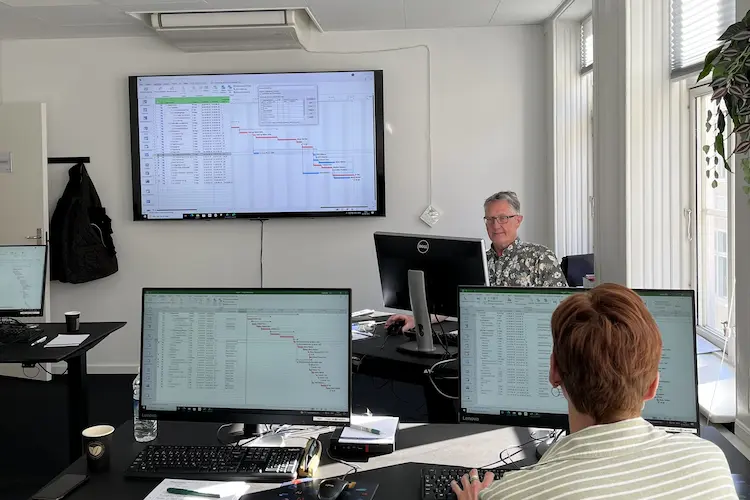
- Teaching by the most experienced instructor team in our cozy and fully updated classrooms located in the center of Copenhagen.
- A course that consists of a both theory and practical exercises. We know the importance of having practical exercises and hands-on is always in focus during the courses.
- A course material you can use as an encyclopedia after the course and downloads of course exercises.
- All meals, which includes breakfast, fresh coffee, tea, fruit, soft drinks, lunch in an Italian restaurant on Gråbrødretorv, cake, candy and off cause Wi-Fi to your devices.
- A course certificate as a proof of your new skills.
- Access to our free hotline service, which means that you up to a year after the completing of the course can contact us if you have questions regarding subjects from the course.
- We have a unique satisfaction guarantee in order to ensure you the complete benefit from the course.
Get the best benefit from the course
This InDesign course is part of our range of Adobe courses and is designed for anyone who wants to create professional layouts for brochures, magazines, reports and other printed or digital publications.
Please bring your own computer with Adobe InDesign installed and an active licence. Make sure the software is up to date and ready to use before the course starts, so you can take part in the practical exercises from the beginning.
Course Details
This module introduces you to the overall program structure and concepts relevant to your everyday work with InDesign. You will then understand how to navigate through the program and adapt the user interface to suit your needs.
The following will be covered:
- Program set-up
- The set-up of the screen and work area
- Basic program functions, tools and panels
Learn to create documents and what to be aware of according to their intended use. You can then create sharp documents achieving their aim and meeting their target.
The following will be covered:
- Creating documents containing several pages
- Documents for newsletters, posters, flyers, etc.
- Documents for brochures, books, magazines
- Documents for advertisements
Here you will learn how to insert pages into your document, and how to use master pages in order to give your documents a holistic appearance. You can then navigate between pages in your documents, insert pages and understand when and why a master page is useful.
The following will be covered:
- Navigating between several pages and master pages
- Master pages
- Set automatic page numbering and use page headers and footers
- Inserting pages
In this module we will give you tools for drawing and selection. Then you will be able to create simple shapes, select, convert and group these objects to form a frame around your subsequent work with text, colors and images.
The following will be covered:
- Guide lines and line tools
- Drawing tools and selection tools
- Scaling, rotating and converting figures and grouping objects
You will be given an understanding of palettes (CMYK, RGB or Pantone) and how to create and use these colors in your documents. Afterwards you can create your own colors, export and use them in other Adobe programs, and use the colors on objects in InDesign.
The following will be covered:
- Color swatches gradients
- CMYK, RGB and Pantone
- Line and fill colors
This module teaches you how to enter/import text and manually format the appearance of the text. Afterwards you can enter text in InDesign and import text from other documents. You will also know how to find and replace text, and how to enhance the text by using colors, type sizes and fonts.
The following will be covered:
- Entering text
- Text sequence
- Importing text (for example from Word)
- Manual text formatting
- Text wrapping
- Find/replace
- Special symbols (glyphs)
This session will learn you how to work with images in InDesign. You will learn how to insert and adapt images and wrap text around the images. You then be able to choose the right image based on quality requirements and be able to crop and position images in your documents.
The following will be covered:
- Inserting images and cropping images
- Wrapping text (text wrap)
- Mini bridge (new in CS5)
- Image quality
We will help you to understand how to use character and paragraph styles when dealing with the design of the text. You will then be able to decide whether your document needs styles and how to create and use them.
The following will be covered:
- Creating character styles and paragraph styles
- Formatting text
You will be shown how to use various effects such as shading and rounded corners in your documents. You can then create and adapt these effects to suit your needs.
The following will be covered:
- Applying effects (shading, transparency, rounded corners, etc.)
- Adapting standard effects
- Applying effects to text
Here you will get an understanding of creating and using lists of contents. You can then create automatic lists of contents - in the style you prefer - for the documents by using paragraph styles.
The following will be covered:
- Creating paragraph styles for lists of contents
- Creating lists of contents and formatting lists of contents
The result of your documents will often be PDF files. This last module will learn you how to create PDF files - intended for printing and or to forwarded for proofreading. Afterwards you can create PDF files ready for printing and living up to the most common printing requirements regarding quality and color.
The following will be covered:
- Exporting PDF files for proofreading
- Exporting PDF files ready to print and print requirements for PDF files
Vælg dato, by og deltagere
 Længde
2 dage
 Pris
9,700 kr.
ex moms
 Sted
System.Collections.Generic.List`1[System.String]
20-11-2026
Kl: 09:00-16:00
Hvad siger vores kunder om os?
Siden 1991 har 4D Academy hjulpet virksomheder og specialister med at omsætte viden til målbare resultater. Vores kursister belønner os med en gennemsnitlig rating på 4,8 ud af 5 på Trustpilot, Google og Facebook, og det gør os stolte.
Se hvorfor både nye og erfarne fagfolk vælger os, når de vil løfte deres kompetencer.





Hold dig opdateret med vores nyhedsbrev
Her bor vi
Læderstræde 22, 2. sal, 1201 København K
Tueager 5, 8200 Aarhus
Ørbækvej 350, 5220 Odense
Tirsdag: 08.00 - 16.00
Onsdag: 08.00 - 16.00
Torsdag: 08.00 - 16.00
Fredag: 08.00 - 16.00